 The Good Sign Company
Indoor checkout planning
Map each queue decision before choosing a sign.
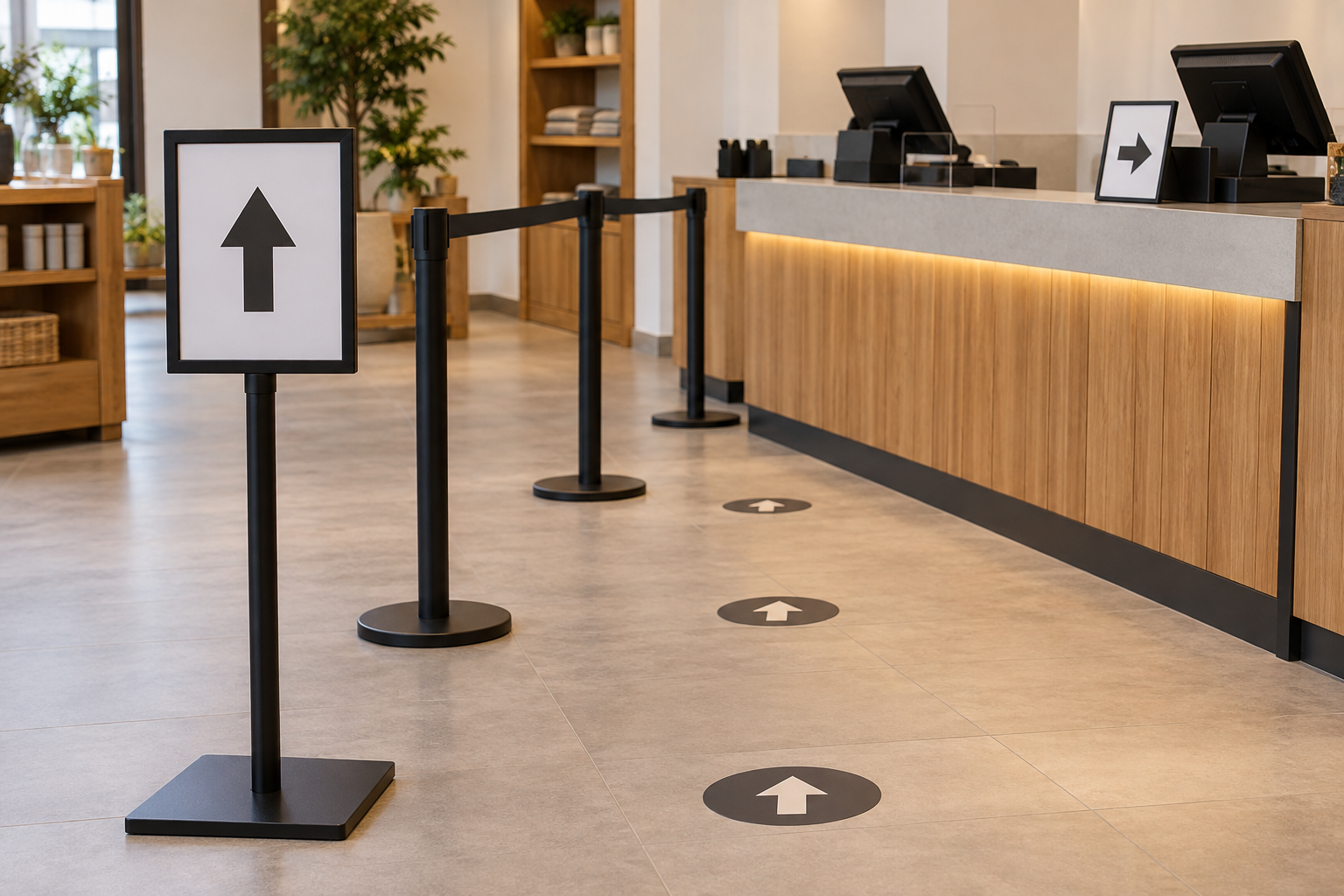
A queue sign should answer one question at the exact place a customer must decide: Where does the line begin? Which lane should I use? When do I move forward? Start with the observed path and operating routine, then choose the smallest set of signs that removes those uncertainties.
Quick answer
Use one short instruction at each decision point.
Put a line-start sign where an arriving customer first hesitates, an advance instruction where the waiting path ends, and a lane or service label only where a real choice exists. Test each message at actual size from the customer’s approach. A larger sign cannot rescue a message placed after the decision.
Draw the path before writing copy
Sketch the entrance to the checkout area, the usual line start, the waiting path, every split, and the service positions. Walk the route from each normal approach. Mark the first place where a newcomer slows, turns the wrong way, asks staff, or blocks another task. Those are candidate decision points—not automatic locations for more signs.
This scope is narrower than general interior wayfinding: it begins when a customer reaches the indoor checkout zone. It also differs from an order-pickup sign, which separates collection from ordering and waiting.
Assign one question to each location
| Observed question | Message job | Format direction to investigate |
|---|---|---|
| Where does the line begin? | Identify the start before customers pass it | Portable floor-level or elevated sign visible from the approach |
| One line or separate lines? | Explain the split before paths diverge | One overview sign, followed by labels only where needed |
| Which position is ready? | Connect the end of the line to a service point | Counter or position label supported by the staff call-forward routine |
| Does this instruction still apply? | Show a temporary operating change | Replaceable insert, dry-erase surface, or another controlled update format |
Do not combine hours, promotions, payment details, returns language, and queue directions on one sign merely because the surface is available. Treat each as a separate message job.
Queue decision-point worksheet
Complete one row per possible sign. This is original planning utility, not a claim that a particular format will work in every checkout.
| Field | Record |
|---|---|
| Decision point | Exact place and the question the customer must answer |
| Approach | Direction, measured viewing position, and likely obstructions |
| Message | One instruction, written as briefly as operations allow |
| Available area | Measured floor, counter, wall, or fixture space |
| Change cadence | Stable, scheduled, or changed during a shift |
| Owner | Who places, updates, checks, removes, and stores it |
| Fallback | What staff do when the normal path or position is unavailable |
Test a paper mockup during real operations
- Print or hand-letter the proposed message at its intended size.
- Place it at the measured candidate location without creating a new obstruction.
- View it from every normal approach with ordinary merchandise, equipment, and people in place.
- Observe whether customers see it before the decision, not merely whether the words are readable when standing beside it.
- Record repeated questions and wrong turns without coaching the test.
- Revise placement or message first; add another sign only when it answers a different decision.
Repeat the observation if layout or staffing changes. This local operational check is not a substitute for professional review of accessibility, emergency, capacity, safety, property, or regulated requirements.
Compare formats by the operating job
- Portable floor sign: investigate when the line start moves, but fit the full base and panel footprint to the measured layout and cleaning routine.
- Counter sign: use for a stable final instruction or position label only when equipment and merchandise do not hide it.
- Replaceable insert holder: consider when approved instructions change on a schedule and someone owns the replacement files and inserts.
- Dry-erase or changeable message: consider only when local rewriting is intentional, handwriting remains readable, and reset responsibility is explicit.
- Fixed sign: reserve for a stable path and stable wording; do not make a changing workaround look permanent.
For tabletop formats, the checkout counter-sign guide covers footprint, equipment conflicts, and sightline. If the remaining choice is one or two viewing faces, use the single-sided versus double-sided comparison.
Verify the complete product, not the category photo
Before buying, verify the current complete dimensions, base footprint, supported insert or panel size, loading method, included parts, assembly instructions, cleaning guidance, and stated use limits. Match those facts to the worksheet. A category search is a sourcing starting point, not a maintained ranking or endorsement of every result.
Browse indoor queue sign stands
Who should skip a new queue sign
- The process is the problem: align conflicting staff call-forward routines before adding instructions.
- The layout changes constantly: use a controlled temporary method until the path stabilizes.
- The sign appears after the choice: move the message to the decision point instead of making it larger.
- A nearby sign already answers the question: clarify the hierarchy rather than duplicate the instruction.
- The project is regulated or safety-sensitive: get site-specific professional review instead of treating this operations guide as approval.
Handoff checklist
Give the purchaser the path sketch, worksheet, exact message text, measured viewing positions, available footprint, update cadence, mockup findings, and owner for placement and revisions. Keep a dated source file for each replaceable message. That package makes the decision auditable without pretending this article has selected or tested a product.
Editorial process: The Good Sign Company editorial desk checked this page against the site inventory and opportunity maps, constrained it to indoor operational planning, and removed performance and compliance conclusions. AI-assisted tools helped prepare and reconcile the draft and illustration. The editorial desk remains responsible for source boundaries, hypothetical labels, and unsupported-claim removal. See our editorial process.