 The Good Sign Company
Lighted sign comparison
Edge-lit acrylic sign vs LED message board: fixed design or changeable message?
Choose an edge-lit acrylic sign when one name, mark, or decorative design should stay visually consistent. Choose an LED message board when the message genuinely changes and someone will own the update routine. Before buying either, mock up the message at the listed visible size, measure the complete base, check the normal viewing angle, and map the power cord to the outlet.
This comparison is about message permanence and display workflow. For product selection within each format, use the guides to edge-lit acrylic signs and LED message boards.
Disclosure: As an Amazon Associate, we may earn from qualifying purchases and approved partner referrals.
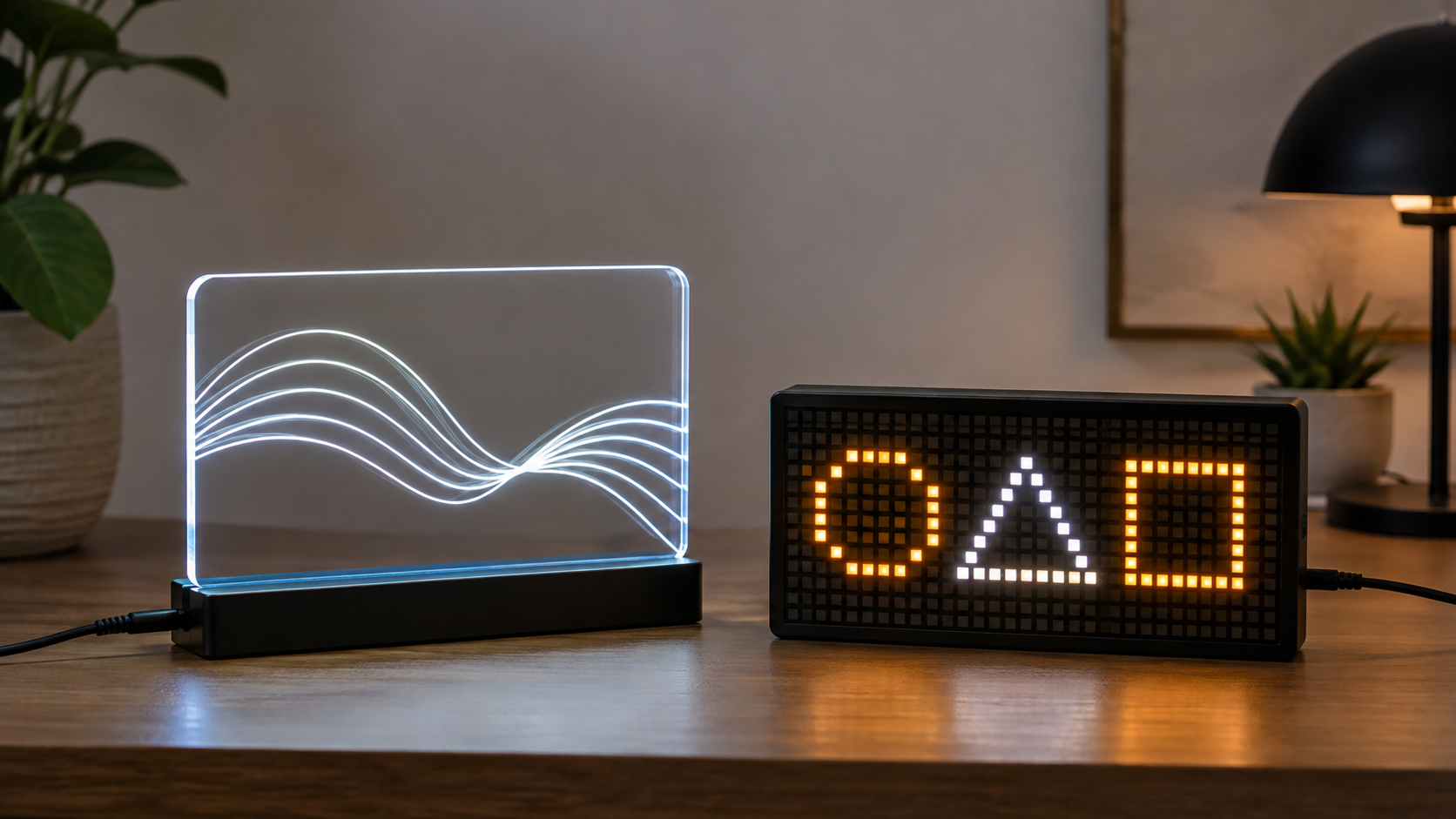
Compare both formats after defining the message
Use current listings to verify the complete dimensions, visible display area, controls, power input, included parts, update method, intended indoor setting, and maker instructions. Similar-looking products do not necessarily share controls or accessories.
Quick comparison
- Message: acrylic suits one fixed etched, printed, or inserted design; a message board suits brief updates supported by its stated input method.
- Visual effect: acrylic emphasizes glowing lines and clear-panel depth; a pixel board emphasizes the lit message area.
- Updates: acrylic usually requires a different compatible panel or a new custom piece; a message board requires composing, loading, checking, and removing content.
- Footprint: both need the full base measured; the board may have a deeper or taller housing, while a clear panel can extend above a narrow base.
- Best fit: acrylic for a stable desk identity or decor focal point; message board for recurring short notices that are worth maintaining.
Start with message lifespan
Write the messages you expect to display over the next month. If the same name, simple logo-style mark, or decorative graphic works every day, the acrylic format avoids an update system you may never use. If dates, availability, reminders, or short counter notices change several times a week, a message board can justify the extra controls and upkeep.
Do not buy a changeable display only because change is possible. Assign an owner, decide how often stale messages will be checked, and confirm that the stated app, buttons, remote, or other input method fits the people doing the updates. This guide does not promise that a specific interface will remain supported; verify the current listing and maker documentation.
Readability differs from visual impact
An edge-lit acrylic panel can make a simple outline or short name feel light and dimensional, but reflections and low-contrast line work can make detail disappear from an angle. A pixel board can form new words or symbols, but its grid limits letter shapes and message length. Neither format fixes copy that is too long for the viewing distance.
- Note the listed visible panel or display dimensions.
- Draw that rectangle on paper and place the longest likely message inside it.
- Set the mockup at the planned height and view it from the actual chair, doorway, or counter approach.
- Shorten the message if it needs cramped letters or rapid scrolling to fit.
- Check reflections from windows, task lights, and screens at the times the sign will be used.
Controls and upkeep
For acrylic signs, compare brightness and color controls only where the listing describes them, and confirm whether the panel and base are supplied as a matched set. For message boards, check how content is entered, how many steps an update takes, whether a phone or account is required, and what happens after power is interrupted. Verify those details for the exact candidate rather than assuming every board works the same way.
Also compare cleaning instructions. Clear acrylic can show fingerprints and reflections; a pixel display housing may collect dust around its face and controls. Follow the maker's stated care method and keep liquids away from powered components.
Measure the whole setup, including power
Record the base width and depth, total height, control access, connector position, cable length stated by the seller, and any adapter that must remain accessible. Place paper templates among the monitor, lamp, payment device, books, or merchandise that normally occupy the surface. A sign that technically fits but blocks work space or sends a cord across a handled area is the wrong format for that location.
Use the supplied or manufacturer-specified power arrangement and follow the current instructions. This is indoor product-selection guidance, not electrical or regulated business-sign advice. Required wayfinding, accessibility, emergency, exterior, or code-sensitive messages need project-specific guidance.
Who should choose something else?
- Choose an unlit printed insert when the message changes occasionally and consistent typography matters.
- Choose a changeable letter board when hands-on updates suit the room and illumination is unnecessary.
- Choose a larger light box or unlit panel when the sign must read from farther away than a desk-sized display can support.
- Skip both when the surface is crowded, glare obscures the face, or the cord cannot be routed without interfering with the space.
- Delay custom acrylic artwork until the wording, spelling, viewing position, proof process, and correction terms are settled.
Bottom line
The deciding question is not which sign glows more. It is whether the display should preserve one designed identity or support a real, repeatable update routine. Pick edge-lit acrylic for a stable visual; pick an LED message board for changing short content. Then verify the actual product's size, controls, power, input method, and instructions against the measured location.
Continue with the custom light-box and illuminated-sign pillar, compare changeable letter boards with LED message boards, or choose the relevant format guide before shopping.