 The Good Sign Company
Replacement label-tape buying guide
How to Choose Label Tape Cartridges for Storage-Bin Sign Holders
The best replacement cartridge is the documented tape family for your exact label-maker model, in a width that leaves readable text inside the holder's visible window. Match the machine first, measure the holder second, and print the longest real bin name before ordering a multipack.
This guide assumes a label maker and tape-based workflow are already in place. If either is still open, compare label-maker tape with printable inserts or choose a label maker for the measured holder first.
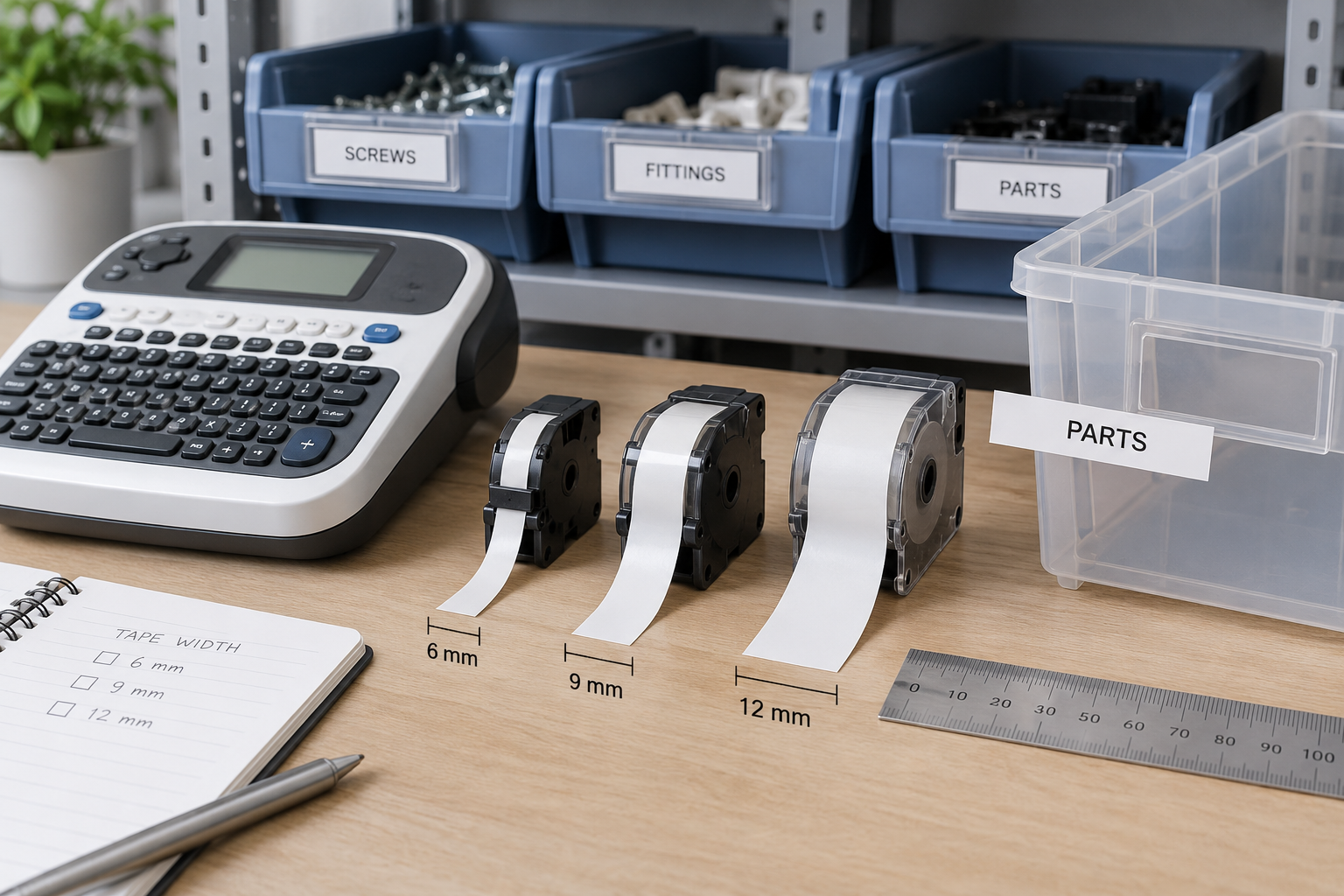
Compare replacement tape only after checking the model
Find the exact label-maker model and its current cartridge-family documentation. On each listing, verify the family code, tape width, text and background colors, quantity, and seller description against that source. Similar shape or width is not proof of compatibility.
How to Choose cartridge route by decision
These are comparison routes, not named-product winners. Current compatibility and dimensions must come from the label-maker documentation and the exact listing.
- Same family and width as the working cartridge: best for a straightforward replacement. Keep the known layout, then verify the current listing still matches the family code, width, and color combination recorded for the machine.
- Narrower supported tape: best when the holder opening is the hard limit. Print the real message before buying in volume; narrower tape can reduce usable type size or change margins.
- Wider supported tape: best when the holder and machine both accept it and larger type improves the sample. Confirm the cartridge family, machine support, loading opening, and visible window independently.
- High-contrast text and background: best when the current combination is hard to read. Judge an actual-size sample at the normal aisle distance; color names in a listing do not establish readable contrast in your lighting.
- Printable insert instead of another cartridge: best when no supported tape fits the message. A larger card can be the cleaner answer when labels need two lines, longer names, or an icon.
1. Identify the exact cartridge family
Read the model number from the label maker itself, not from memory or a similar machine nearby. Use current maker documentation to record the supported cartridge family and widths. Then match those identifiers against the exact replacement listing.
Do not treat a cartridge that looks alike as interchangeable. If the listing omits a family code or the model documentation is unavailable, pause the purchase and use a known compatible supply route.
2. Measure the holder's loading and visible areas
Measure the opening through which the finished label or backing card enters, then measure the window that remains visible after installation. These are different limits. A strip can slide into the holder while its top, bottom, or end characters disappear behind the frame.
If tape is applied to a removable card, measure that card too. This avoids assuming that an adhesive is suitable for the bin itself and makes later label changes easier to plan.
3. Compare tape width with printed type—not the empty strip
The nominal tape width is not the height of the printed letters. Device margins, font choice, line count, symbols, and layout settings all change the usable result. Print the longest real category name with the intended settings, place it in the holder, and view it from the normal work position.
If the sample requires unexplained abbreviations or cramped type, change the holder or move to a printable insert. Ordering a wider multipack does not help if the machine or holder cannot accept it.
4. Choose contrast and backing as part of the system
Compare the printed sample against the removable card, bin color, holder edges, shelf lighting, and viewing distance. A clear tape or colored background may look different once installed than it does on the roll. Keep important letters away from frame edges and reflections.
Use the tape maker's product-specific surface and storage guidance. This general guide does not establish adhesion, residue behavior, moisture, temperature, chemical, or specialty-label suitability.
5. Control the recurring reorder
Record the label-maker model, cartridge family, approved widths, chosen color combination, layout settings, and reorder owner near the device. Keep one approved sample or a clear photo with the record so a substitute buyer can compare the finished result, not just the package description.
For a multi-person stockroom, set a reorder point that reflects normal usage and the team's procurement process. Do not infer current availability from this guide; confirm the exact listing when supplies are needed.
Cartridge buying checklist
| Check | Evidence to verify | Reason to stop |
|---|---|---|
| Machine fit | Exact model and documented cartridge family | Listing relies only on visual similarity |
| Width support | Maker-supported width plus holder measurements | Machine or holder limit is unclear |
| Readable result | Actual-size print of the longest real name | Meaning depends on cramped type or obscure abbreviations |
| Installed contrast | Sample viewed in the real holder and lighting | Letters merge with the card, bin, frame, or glare |
| Recurring supply | Recorded family, width, color, settings, and owner | No one can reproduce or reorder the approved label |
Who should skip another tape-cartridge purchase?
- The label maker is not yet chosen: compare devices by supported supplies and the full update workflow first.
- The holder dimensions are unknown: measure the loading opening and visible window before choosing a width.
- The message needs larger type, multiple lines, or an icon: test a printable paper insert rather than forcing it onto tape.
- The exact cartridge listing cannot be matched to current maker documentation: use a verifiable supply route instead of guessing.
- The label has barcode, safety, chemical, temperature, moisture, or regulated identification requirements: follow the relevant operational standard and product-specific qualified guidance.
Shop after one label passes the holder test
Use the model number and documented cartridge family in the search, then compare the exact width and color route that passed your full-size sample. Recheck listing details before ordering because category results can mix incompatible families.
Bottom line
Replace label tape in this order: exact machine model, documented cartridge family, supported width, holder loading and visible dimensions, readable sample, then reorder ownership. That sequence prevents an inexpensive supply purchase from creating a recurring compatibility problem.
Return to the small-business sign planning pillar for the wider message system, or use the tape-vs-paper comparison when the replacement search exposes a poor fit.