 The Good Sign Company
Tabletop holder comparison
Clipboard sign holder vs acrylic sign holder: choose by access
Choose a tabletop clipboard when fast sheet changes or writing on the displayed page is part of the job. Choose an acrylic holder when the page is view-only and a cleaner enclosed presentation—or a message facing two directions—matters more. Paper size, base footprint, viewing angle, and the actual update routine should settle the choice.
Disclosure: As an Amazon Associate, we may earn from qualifying purchases and approved partner referrals.
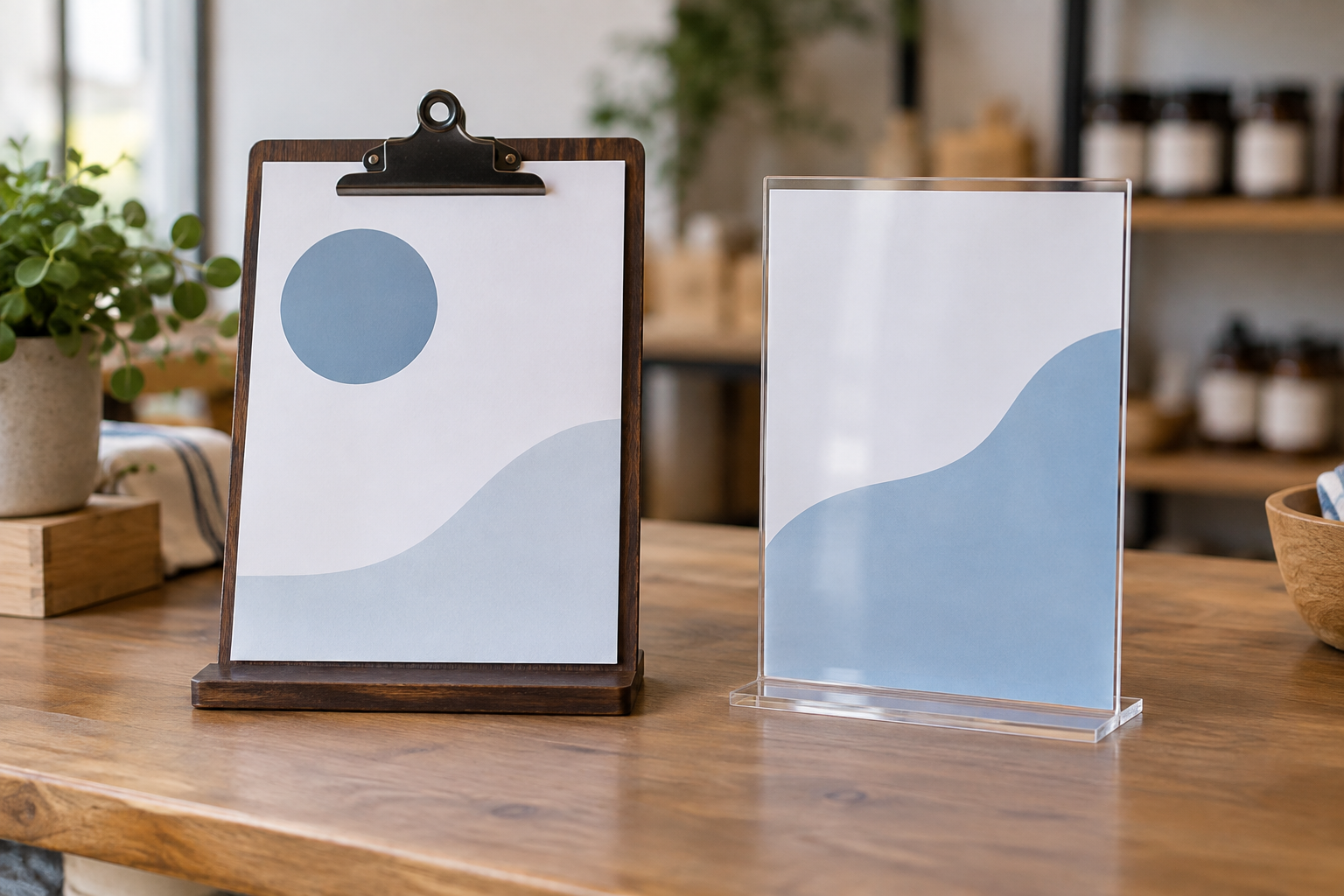
If the paper is replaced on a predictable schedule across several locations, first decide whether a weekly printed-insert system is worth standardizing; then use this comparison to choose how each sheet should be held.
Compare the two holder categories
Tabletop clipboard holders
Check supported paper size and orientation, usable clip opening, complete height, base dimensions, and whether the maker describes the stand for writing as well as display.
Browse category: Browse tabletop clipboard holdersClear acrylic sign holders
Check the exact insert dimensions, portrait or landscape format, one- or two-face design, loading edge, base footprint, and cleaning directions.
Browse category: Browse acrylic tabletop holdersQuick decision
- Choose a clipboard holder when staff replace sheets often, need to annotate the displayed page, or want the fastest top-clip workflow.
- Choose an acrylic holder when visitors only read the insert, exposed paper looks too casual, or the same message must face both sides of a counter.
- Choose neither yet when the counter patch, paper size, approach direction, or loading clearance has not been measured.
Who each format fits
A clipboard holder fits signup sheets, working checklists, temporary menus, price sheets, and notices that are handled during the day. Its clip and exposed page make the workflow obvious, but they also add visual weight and leave edges open to fingerprints, curls, and splashes.
An acrylic holder fits finished menus, QR-code prompts, schedules, check-in directions, and other view-only inserts. A T-style holder can show paper in two directions, while a slanted or L-style holder may favor close reading from one side. The clear face can reflect bright windows or overhead lights, so test it from the reader's actual position.
Tradeoffs that change the choice
- Writing access: a clipboard exposes the page; an acrylic sleeve requires removal before writing and is usually better treated as view-only.
- Update speed: a top clip can release one sheet quickly. Acrylic loading speed depends on the open edge, insert stiffness, and clearance around the holder.
- Paper protection: acrylic covers more of the face, but that is not a waterproof or spill-proof guarantee. Match use to the maker's instructions.
- Viewing direction: most clipboards present one face. Some acrylic holders accept back-to-back sheets, but verify the design rather than assuming.
- Glare and legibility: clear acrylic adds reflections; an exposed matte sheet may be easier to read in the same light. Test the final print at the actual angle.
- Footprint and stability: compare full base width and depth, complete height, table movement, and the reach needed to load or write—not just the listed paper size.
- Appearance: visible hardware supports a workshop or working-document look; a clear enclosure can feel quieter when the insert design should carry the presentation.
Setup and maintenance
Print a full-size sample, place it in the exact counter position, then walk the customer approach. Check whether nearby products, payment equipment, plants, or hands block the lower lines. Keep important copy clear of the clipboard clip and acrylic base lip.
For a clipboard, verify the clip accepts the intended number and thickness of sheets without hiding essential information. If anyone will write on it, test normal pen pressure on the actual stand before relying on it. A flat clipboard may be the better writing surface.
For acrylic, follow the maker's insert-loading and cleaning directions. Remove grit before wiping and avoid assuming a household cleaner is compatible. Leave enough space above or beside the holder to change the insert without dragging the stand across the counter.
Skip criteria and alternatives
- Skip the clipboard when the page is view-only and the clip distracts from a finished presentation.
- Skip acrylic when glare hides the message from the main approach or frequent writing is required.
- Skip either freestanding format when the measured base interferes with transactions, products, food service, or a reachable edge.
- Use a flat clipboard for comfortable writing, a wall frame for a stable long-term message, a small easel for a rigid card, or a sign rail when many paper notices rotate together.
Next steps
If the clipboard route remains likely, use the clipboard holder worth-it test to decide whether the writing workflow earns table space. For other enclosed formats, compare a table tent with an acrylic holder. The small-business sign planning pillar connects the holder choice to message priority, sightline, updates, and counter layout.